How toShare a workout plan
with a friend
Send any plan in GymVim as a link or QR code. Your friend reads the whole thing in their browser, then adds their own copy to follow and change as they like. Five steps, about a minute.
The steps
- Open the programIn GymVim, go to the Workouts tab and tap the program under Your programs. Build your own first, or start one of the library plans.
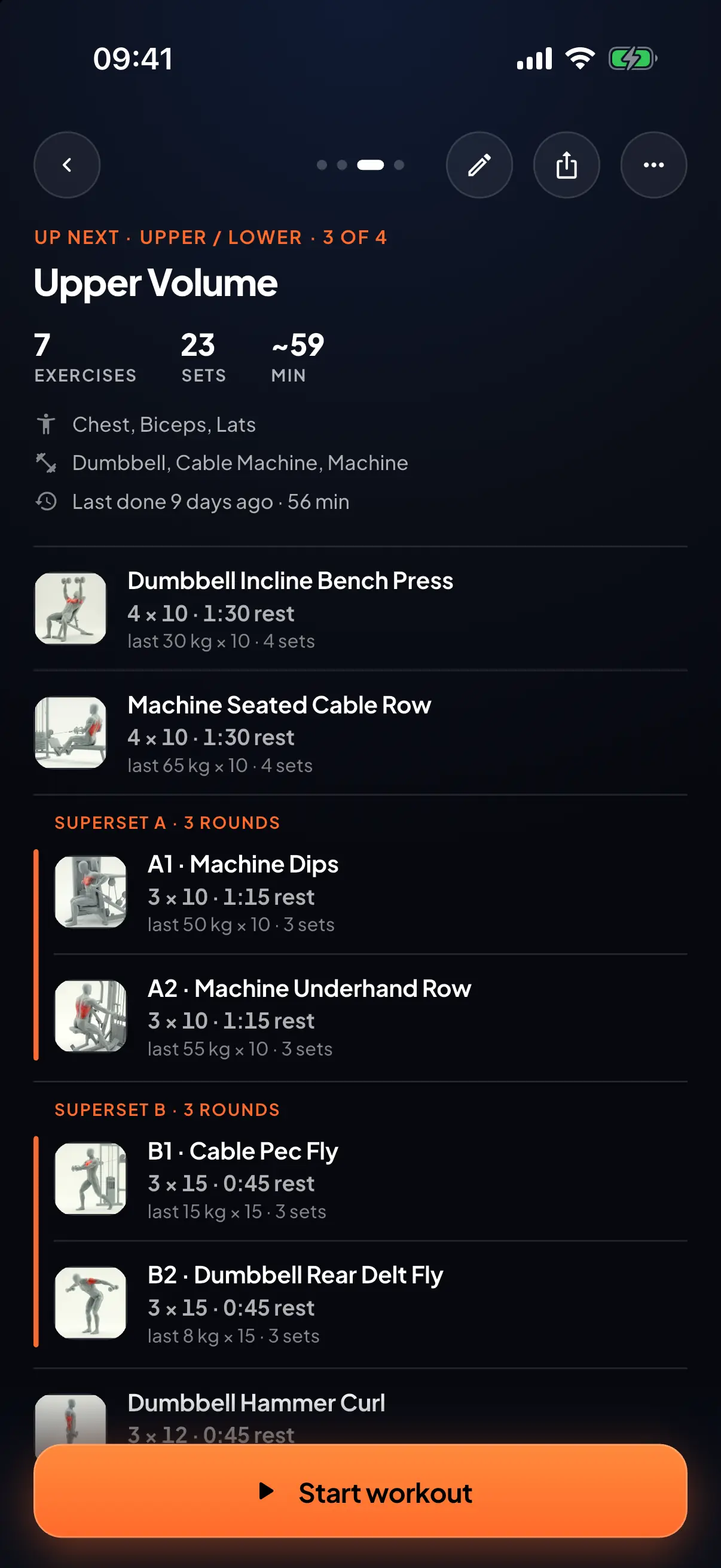
- Tap Share programTap More options (…) at the top right, then Share program. The share button at the top of any of its workouts does the same: it shares the whole program.
- Send the linkTap Copy link and paste it anywhere, show the QR code for your friend to scan, or tap Share to send it straight to a chat app.
- Your friend opens it in a browserThe link shows every day, exercise, set and rep, with supersets marked. Nobody needs the app to look.
- They add their own copyThey tap Save to my GymVim, which opens the app, or the store to install it first, then Add to my workouts. The program is copied into theirs, with your custom exercises, ready to follow and edit.
Good to know
- Does my friend need GymVim to see the plan?
- No. The link opens in any browser and shows the whole plan. They only need the app to save it and train with it.
- Can they change the plan without changing mine?
- Yes. Adding it gives them their own copy, so their edits stay theirs and yours stay yours. The link itself always shows your current version.
- What happens to my custom exercises?
- They come with the plan. Your friend gets their own copies of them, so the plan works for them exactly as it does for you.
- Can I stop sharing a plan?
- Yes. In Profile, open Shared links and revoke it. The link stops working, and anyone who already added the plan keeps their copy.
- Is there a limit?
- Each account can keep up to 5 programs at once, so your friend needs a free spot to add yours.